


Music Player for Android
4.711.37K Reviews
App Specs
- Version
- 7.5.5
- Updated On
- License
- Free
- Downloads
- 50,000,000+
- Developer
- Leopard V7
- Categories
- Music & Audio
- Platform
- Android, iOS
Screenshots
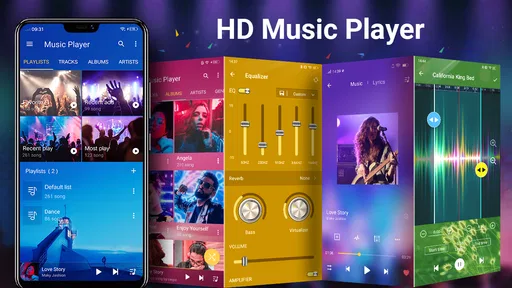
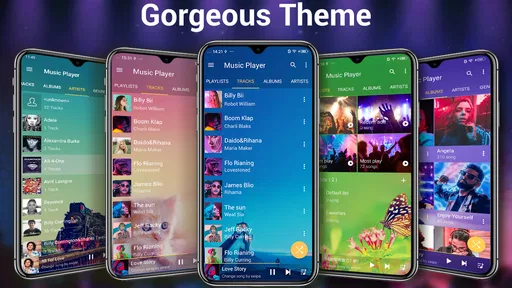
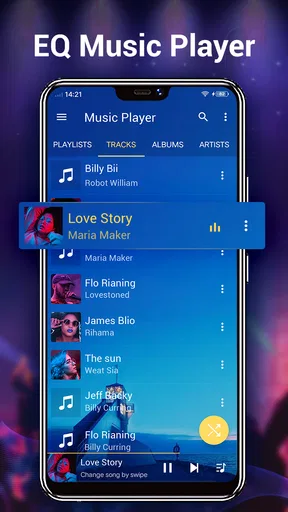
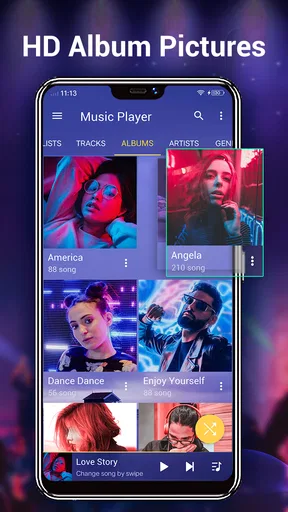
 Analysis by AppCompare
I find music players most useful when they make the ordinary parts of listening feel effortless: opening a library, picking up where I left off, and adjusting sound without turning a quick break into a settings project. Music Player for Android is aimed at that everyday, on-device routine. Leopard V7’s app is free to install, though it offers optional in-app purchases, and its 4.7 average from around 393,000 ratings suggests it has found a large audience among Android listeners.
Start with the library, not the sound effects
One common source of frustration with a music player is expecting it to behave like a streaming service. This app is best approached as a player for music you already have available on your device. If you open it and your tracks are not where you expect, first check whether the files are stored locally and whether they are in a format the app can read. A player cannot make a track appear in its library if the file is elsewhere or unavailable to the device.
I would also give the library a moment to settle before judging the app. After adding or moving music, close and reopen the player, then look through its library views rather than assuming a newly added album will immediately be at the top. Clear filenames and album information make browsing easier; messy tags can make a well-stocked collection feel disorganized even when playback itself is fine.
Small setup checks that save time
On first use, I would begin with a simple test: play one familiar track, adjust the volume at a comfortable level, and confirm that sound comes through the intended output. Then try a second song from a different folder. This separates a general playback problem from a file-specific one, and it is a quicker check than changing several audio settings at once.
The app is listed for Android 6.0 and newer, so compatibility is worth checking before troubleshooting anything else. If you are using Bluetooth headphones or a speaker, test playback through the phone itself as well. A connection issue between the phone and an audio device can look like a player problem, even when the track is playing normally.
Recover your place without starting over
When a song stops unexpectedly, I would first reopen the player and check whether playback has simply paused. If the issue happens with only one track, try another file before changing equalizer settings. If all playback is affected, restart the app and check the selected audio output. These steps are basic, but they help narrow down what is actually failing instead of turning troubleshooting into guesswork.
For a playlist you rely on during a commute or workout, it is sensible to test it before leaving home. Start the playlist, skip forward once, and make sure the next track plays. That brief check can catch a missing or unreadable file while you still have time to choose another set of songs. I would also avoid making a long chain of sound adjustments while diagnosing playback: return to a neutral setting first, then add changes one at a time.
Worth Reading Before You Choose

EA SPORTS FC Mobile 26 Is a Bigger Football Game, but It Takes Time

Flipboard Shows What News Apps Must Do Beyond the Feed

Switching to Android Auto Means Rethinking Your Driving Routine

Google Calendar Makes a Crowded Week Easier to Manage

Ludo King Makes the Most of the Minutes Between Plans

Baby Panda World Brings Quick Play to Modern Phones, but Its Game Library Feels Busy
When the player may not be the problem
Audio can fail for reasons outside the app. A muted phone, disconnected headphones, a Bluetooth device connected to another source, or a damaged music file can all interrupt listening. If one track fails repeatedly but others work, the file is a more likely culprit than the whole player. If sound works in other apps but not here, reopening the player and testing another local track is a reasonable next step.
I would not expect a local music player to replace a streaming subscription, cloud locker, or dedicated audio-editing tool. Those serve different needs. This app makes more sense when you want direct access to music on your Android device and handy sound controls in the same place. For people whose listening depends on online discovery, synchronized libraries, or recommendations across devices, a streaming-focused alternative may fit better.
Setting the Stage: First Impressions
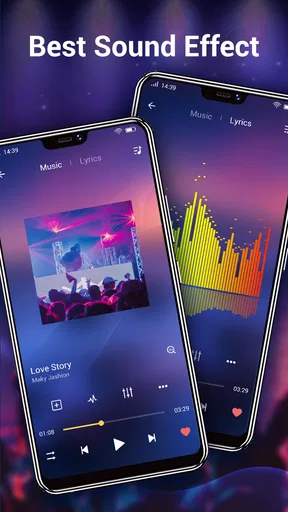
As soon as you fire up the app, you're greeted with a sleek, intuitive interface. It’s like walking into a well-organized record store – nothing is out of place. The navigation is smooth, and everything is right where you expect it to be. I was pleasantly surprised by how quickly I could get started without any hiccups.
The app has a clean design, and the developers have clearly prioritized user experience. You don't have to be a tech whiz to figure out how to use it. Whether you're a casual listener or a music junkie, the app is designed to cater to all your whims.
Features That Hit the Right Note
Now, let's dive into what really makes this Music Player for Android stand out. The app supports all major audio formats, so you’re not left converting files. That's a huge plus in my book. It also offers seamless integration with your existing music library. Just sync it up, and you’re good to go.
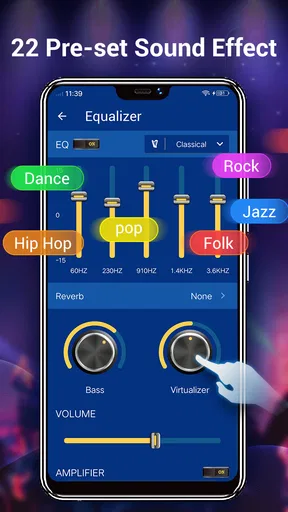
One feature I absolutely loved is the equalizer. It’s like having a mini DJ in your pocket. You can tweak the sound to suit your mood, whether you're in the mood for some bass-heavy beats or something more mellow. The presets are fantastic, but the option to customize adds an extra layer of personalization.
- Supports major audio formats
- Easy library integration
- Customizable equalizer
- Playlist creation and management
- Offline playback option
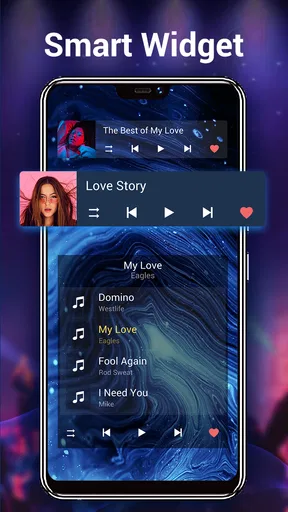
Creating playlists is a breeze, and the app even suggests songs based on your listening habits. It’s like having your own personal DJ who knows exactly what you want to hear.
Performance: Smooth as Silk
Let’s talk performance. Nobody wants their music player to lag or crash mid-song. This app performs like a champ. It’s fast, reliable, and doesn’t drain your battery like some other apps out there. The developers have clearly put a lot of thought into optimizing it for a smooth user experience.
Offline playback is another standout feature. Whether you’re on a long flight or just conserving data, you can download your favorite tracks and listen without a hitch. It’s perfect for those moments when you need your tunes but don’t have internet access.
The Final Crescendo
In a world full of music players, this app strikes a perfect balance between functionality and ease of use. It’s not just about playing music; it’s about enhancing the overall listening experience. From its user-friendly interface to robust features, it’s a solid choice for anyone looking to upgrade their music game.
So, if you’re on the hunt for a new Music Player for Android, give this one a shot. It’s like finding the perfect track that’s been missing from your playlist all along. Happy listening, folks!
How I would fit it into a normal day
For a practical test, imagine getting ready in the morning with a few albums saved on your phone. I would make a short playlist for the walk to work, use the equalizer only if the headphones make the sound feel too thin or heavy, and leave the rest of the library alone. That keeps the routine simple: the playlist handles the order, while the player handles playback. It is a more dependable approach than trying to browse a large collection while crossing a busy street or rushing to catch a bus.
At home, the same app can work as a straightforward way to play stored music through the phone or a connected speaker. I would make one playlist for background listening and another for focused listening, rather than constantly changing the equalizer to compensate for different moods. The useful trade-off is that a player built around your own collection gives you direct control over what is on hand, but it cannot solve the work of organizing that collection for you.
Use the equalizer with a light touch
The equalizer is most helpful when it corrects a noticeable mismatch between a track and your listening setup. If spoken vocals sound buried, or bass overwhelms everything else, a modest adjustment can make the result more comfortable. I would change one part at a time and listen to a familiar song before saving a preferred setup. Large boosts can make audio sound less balanced, so “more bass” is not automatically better, particularly when the headphones already emphasize low frequencies.
There is also a practical reason to avoid constant tweaking: different recordings are mixed differently. A setting that makes one album enjoyable may make another harsh or muddy. I treat presets as convenient starting points, not as proof that one profile is right for every track. If the sound becomes worse, return to a simpler setting before deciding that the file or headphones are faulty.
Choosing it over the usual alternatives
Compared with a streaming app, this player is a better fit when I want to listen to music already stored on my phone without relying on a search catalog or an online connection. A streaming service is the stronger choice for discovering unfamiliar artists, following a large online library, or keeping listening synchronized across devices. Those are different jobs, and I would not choose a local player expecting it to reproduce all of them.
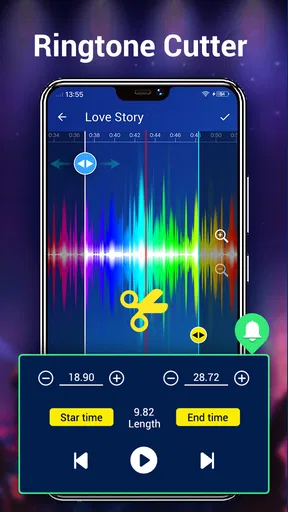
Compared with a barebones player, the appeal here is the combination of library playback with sound adjustment, including bass-focused controls and sound changing tools. That makes it more interesting for someone who likes to shape playback than a default app that only starts and stops tracks. The flip side is that extra audio controls can be unnecessary if you just want a minimal screen and never touch sound settings. In that case, the simplest player already on your phone may be enough.
Who will appreciate it, and who may not
I would recommend trying it if your music is already on Android, you want playlists for repeatable routines, and you value having an equalizer close at hand. It is also a reasonable option for listeners who prefer a familiar local collection to browsing recommendations every time they open an app. The app is free to start, is rated for Everyone, and its current version is 7.5.1; optional in-app purchases range from $0.99 to $9.99 per item.
I would steer someone toward another kind of app if their main goal is streaming new releases, managing a cloud-based collection, or using the same library across several devices. I would also skip extra sound processing if accurate, unchanged playback matters more to you than customization. The right choice depends less on which player has the longest feature list and more on whether your listening begins with files on your phone or with music you expect an online service to provide.
One last check before relying on it
If you plan to use the app on a trip, build the playlist and test it while you still have a connection and time to troubleshoot. Play a few tracks from different parts of the list, confirm that the phone is sending audio to the device you intend to use, and avoid assuming that a playlist will fix a file that is missing or unreadable. That simple routine is useful for any local library, but especially when you do not want to sort out a playback issue once you are away from home.
Music Player has been available since October 7, 2012, and has passed 50 million installs, with around 11,000 written reviews. Those figures point to a well-established Android option, though popularity alone does not tell me whether its approach suits a particular listener. I would judge it by a short real-world trial: find a few familiar tracks, make one playlist, and see whether the controls feel useful rather than distracting.
My practical verdict
After weighing the everyday convenience against the limits of a local player, I see this as a sensible choice for Android listeners who want their own music, playlists, and hands-on sound adjustment in one app. The best way to start is modestly: test a known track, keep the first equalizer change subtle, and organize a small playlist before committing your whole listening routine to it. If that matches how you already listen, it should feel approachable. If you want discovery, cloud syncing, or an online catalog first, a streaming alternative will make more sense.
Pros
- User-friendly interface with intuitive navigation.
- High-quality audio playback and equalizer.
- Supports various audio formats seamlessly.
- Offline playback for downloaded tracks available.
- Customizable themes and skins for personalization.
Cons
- Contains ads in the free version.
- Limited features without a premium upgrade.
- No cross-device sync for playlists.
- Occasional bugs with large music libraries.
- Limited cloud storage integration options.
FAQs for Music Player for Android
What audio formats does the Music Player support?
The Music Player app supports a wide range of audio formats including MP3, WAV, AAC, FLAC, and more. This versatility ensures that users can play almost any audio file without needing to convert it to a different format, making it a convenient choice for music lovers with diverse music libraries.
Does the Music Player app require an internet connection?
No, the Music Player app does not require an internet connection for playing local files. It is designed to play audio files stored on your device. However, if you use features like online radio or music streaming, an internet connection will be necessary.
Is there a built-in equalizer in the Music Player app?
Yes, the Music Player app includes a built-in equalizer with multiple presets and customizable settings. This feature allows users to enhance their listening experience by adjusting the sound output to match their preferred audio profile, whether it be bass-heavy or treble-rich.
Can I create and manage playlists within the app?
Absolutely! The Music Player app allows you to create, edit, and manage playlists with ease. Users can organize their music according to mood, genre, or personal preference, making it simple to access and enjoy their favorite tracks anytime.
Does the app offer any customization options?
Yes, the Music Player app offers several customization options. Users can change themes, modify the interface layout, and set custom backgrounds. These features enable users to personalize their app experience, making it visually appealing and tailored to their individual taste.


